Instructions for Xiaomi Devices
WARNING: Your run tracking will not work properly if these settings are not configured correctly. Please follow the instructions carefully.
Follow these setup steps for your Xiaomi device:
HYPEROS / ANDROID 15 & 16
Critical settings for the latest Xiaomi, Redmi, and POCO devices:
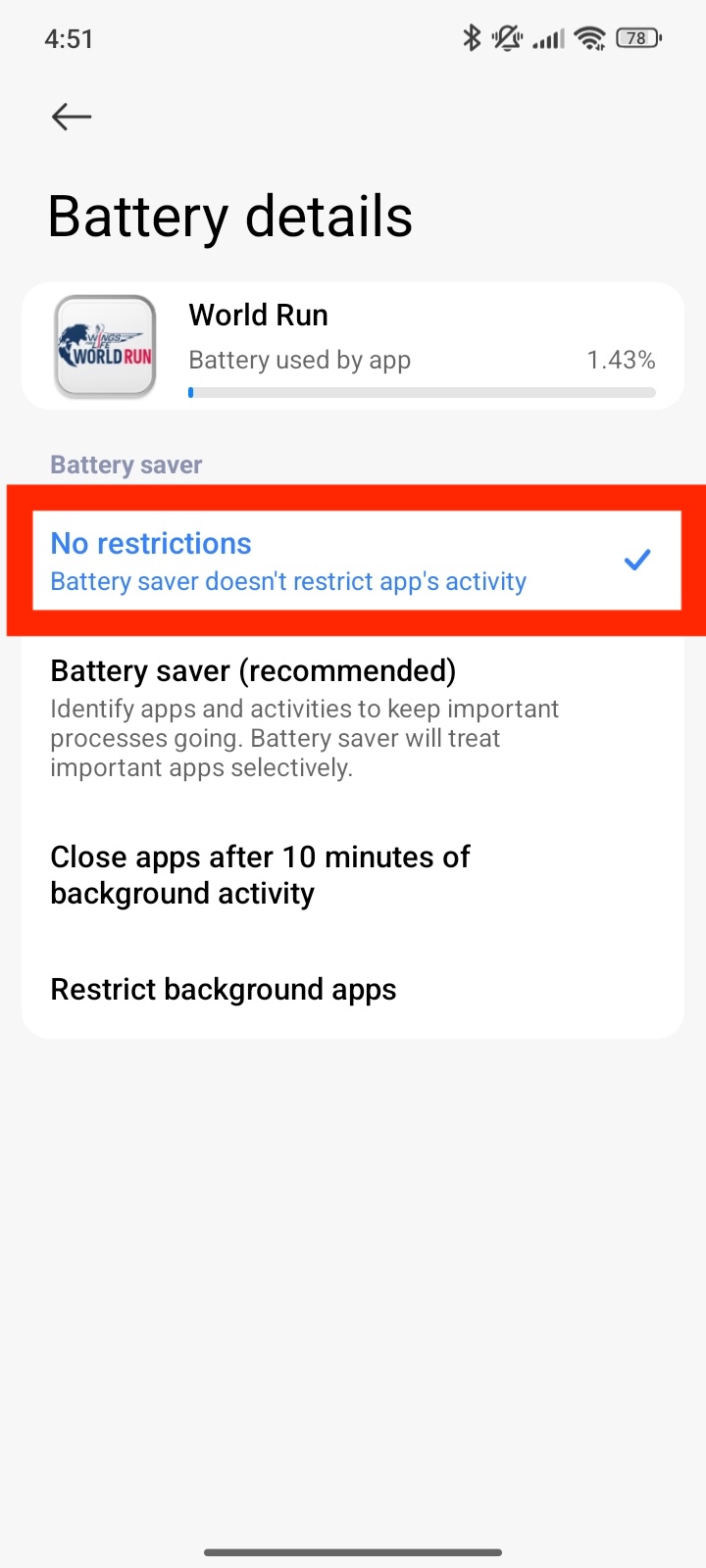
Battery Saver: Set to ‘No Restrictions’
- Go to Settings > Apps > Manage apps > World Run.
- Tap Battery saver and select No restrictions.
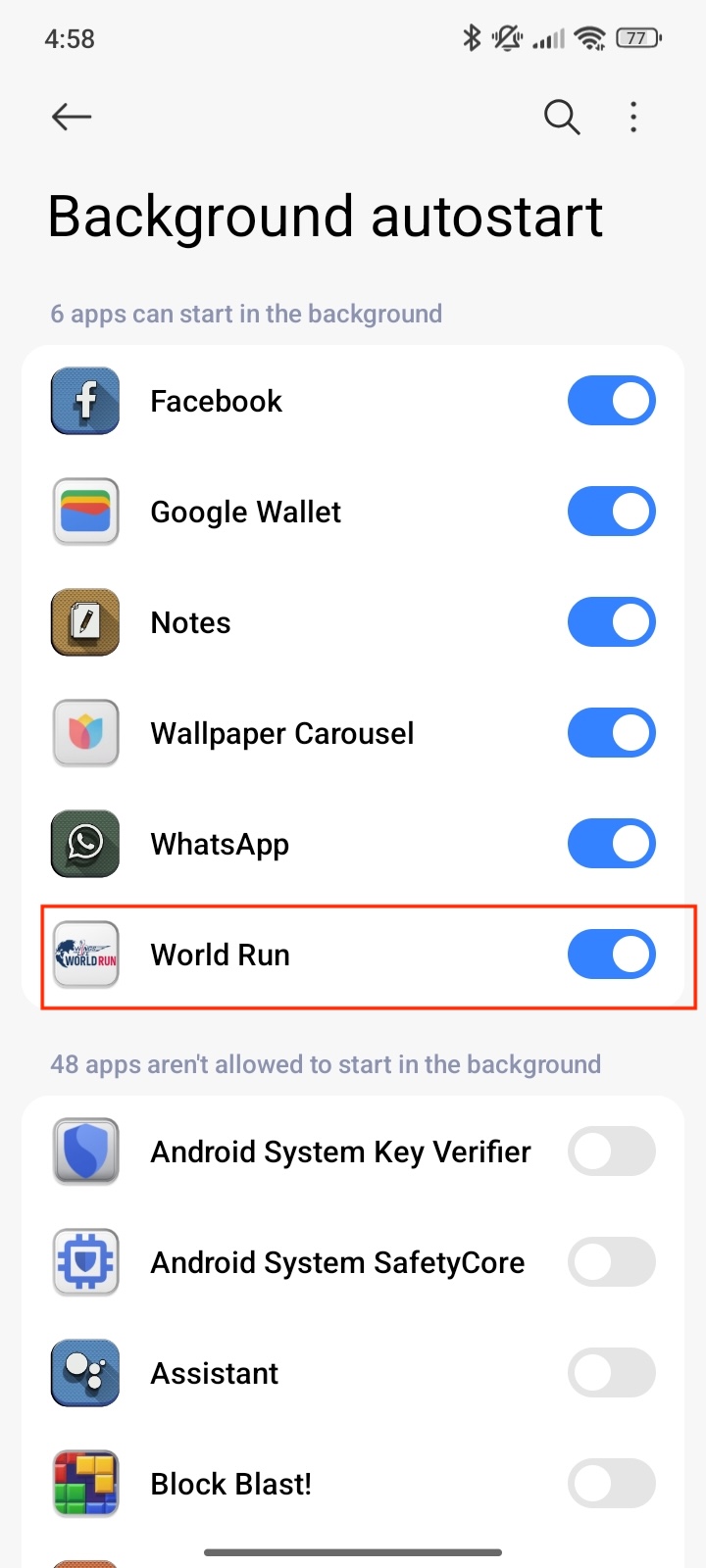
Enable Autostart
- In App info, toggle Autostart to ON.
- Tap into the Autostart menu to ensure Secondary launch is also allowed.
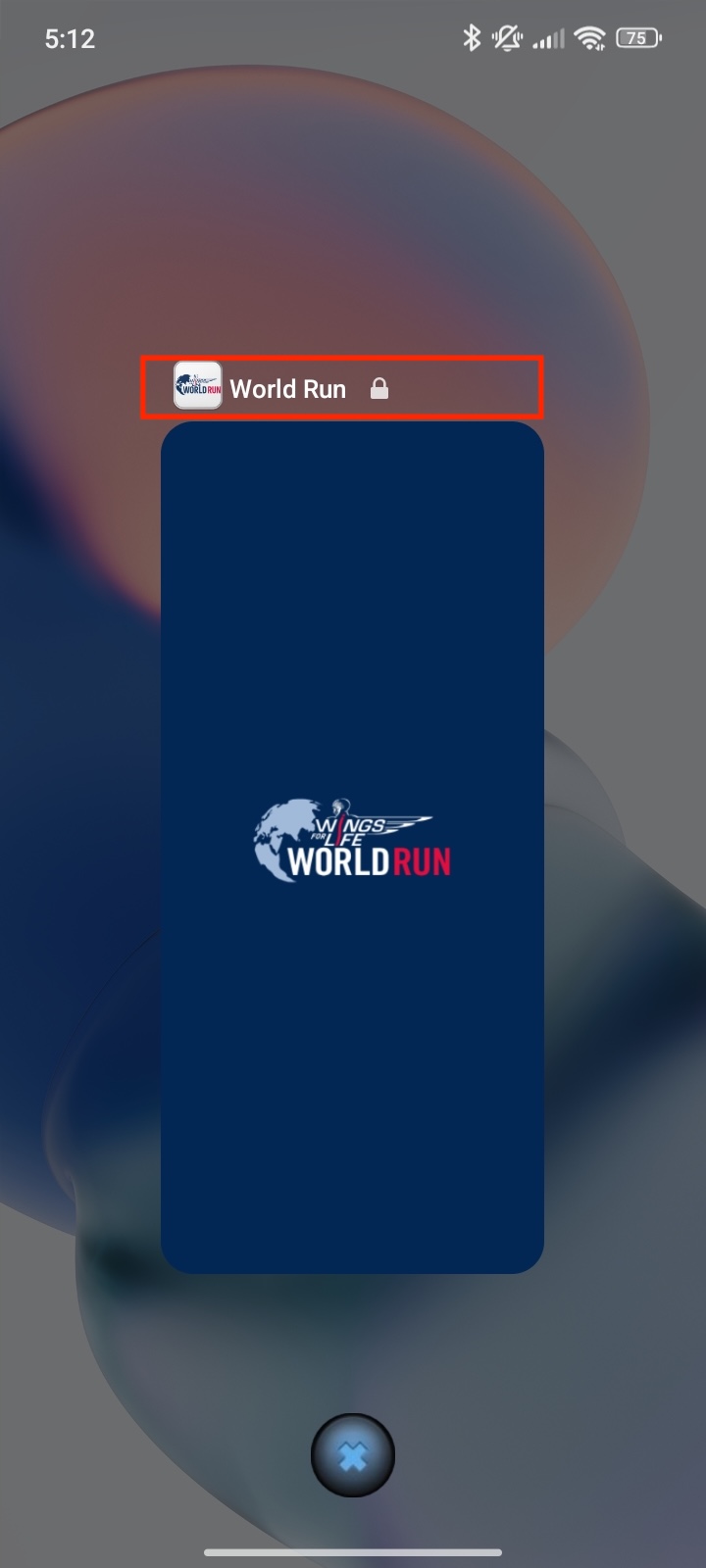
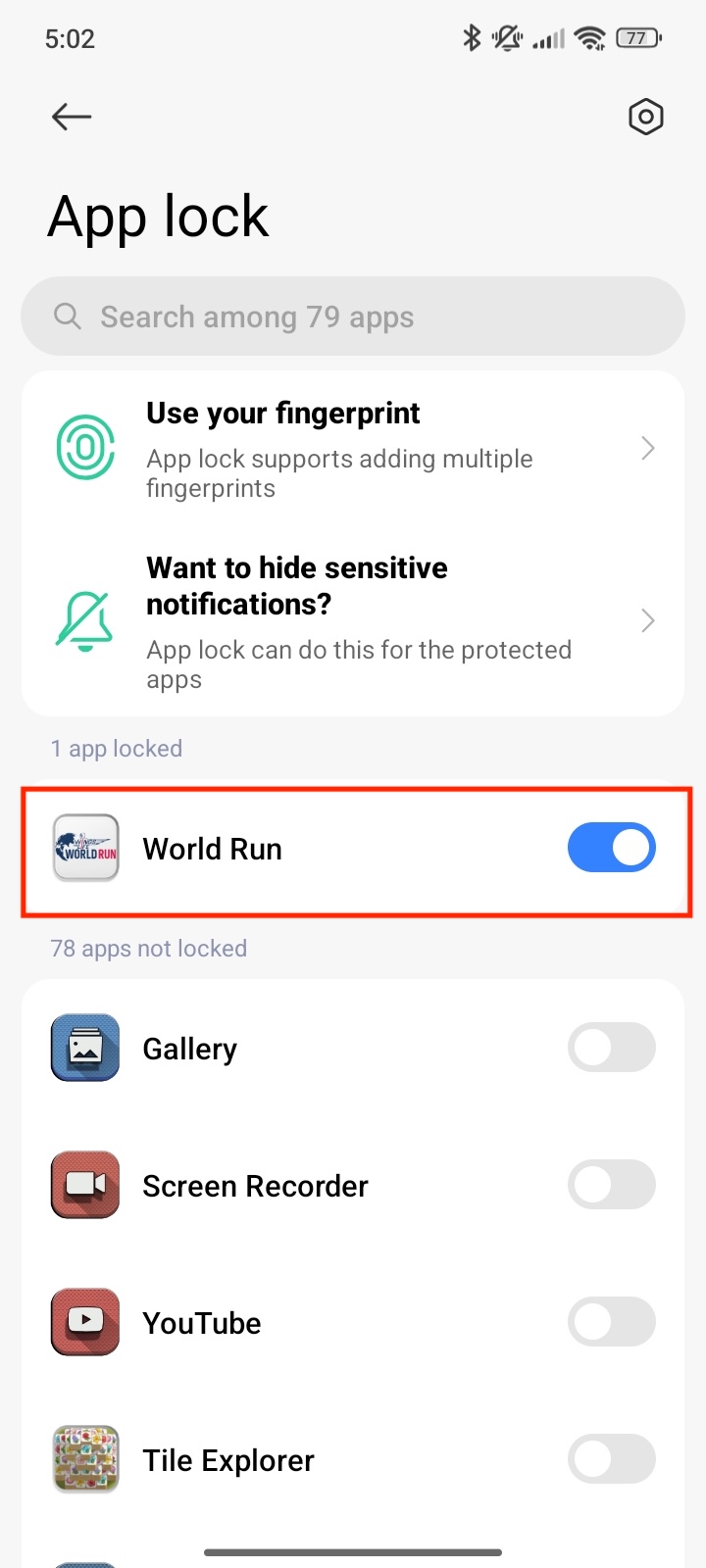
Lock the App in Recent Apps
- Open World Run, then enter the Recent Apps view (swipe up and hold).
- Long-press the World Run card and tap the Padlock icon.
New: Precise Location
- Go to App info > Permissions > Location.
- Ensure ‘Allow all the time’ and ‘Use precise location’ are both enabled.
Android 14 (MIUI 14 User)
Configure these essential settings:
- Enable Background autostart permission:
- Go to Settings > Apps > Manage apps
- Tap "Background autostart"
- Search for "Wings for Life World Run"
- Enable "Background autostart"
- Alternative path: Security app > Permissions > Auto-start
- Lock the app in Recent Apps view:
- Open recent apps and drag the app downwards
- Or long-press the app and select the padlock icon
- Enable precise location access in app permissions
- Configure Security app settings:
- Open Security app
- Tap Boost speed
- Go to Settings
- Find Lock apps and select Wings for Life World Run
Android 13
Configure these settings:
- Set battery permissions:
- Open Settings > Apps
- Search for "Wings for Life World Run"
- Tap Battery
- Select "Unrestricted"
- Remove app from any sleeping or unused apps lists
- Lock app in Recent Apps to prevent closing
Android 11-12
Required settings:
- Disable battery optimization:
- Go to Settings > Apps
- Find World Run
- Tap Battery
- Choose "No restrictions"
- Alternative path to battery optimization:
- Open Security app > Battery > App Battery Saver > World Run > No restrictions
Android 10
- Disable battery optimization:
- Go to Settings > Apps
- Find World Run
- Tap Battery saver
- Choose "No restrictions"